i dunno about hanzo
seems more like no affiliation (neutral) to me, especially after the dragons short. he just kind of hates everything, like genji used to.
Hanzo is a whiny pissbaby.
i dunno about hanzo
seems more like no affiliation (neutral) to me, especially after the dragons short. he just kind of hates everything, like genji used to.

buuuuut when winston did the re-call thinger Mcree popped up with the other OverwatchersAlso McCree isn't canonically in Overwatch post-recall. He was in Blackwatch in the original organization, and before that, the Deadlock Gang.
Probably neutral at best
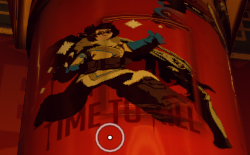

also why two fugitives with large bounties on their heads (Junkrat and Roadhog) haven't been turned in by the good fellas
Suspension of disbelief for the sake of gameplay purposes. Kinda like how it makes no sense how a hero magically reappears back at spawn once they've died and how there's more than 1 roadhog running around on a team at once
Sorta unrelated but I thought Hanzo wasn't good. I thought he was on the bad side since he was apart of a criminal empire and only left because he was all butthurt over supposedly killing his brother but I thought he never really changed his criminal ways
I figured he was at the very least in the gray area
Also McCree isn't canonically in Overwatch post-recall. He was in Blackwatch in the original organization, and before that, the Deadlock Gang.
Probably neutral at best

![[Interrogator]](/data/avatars/m/3/3342.jpg?1547454508)

I can still use block for the MLG UGC memetards though, right?


yeah but hes a vigilante nowAlso McCree isn't canonically in Overwatch post-recall. He was in Blackwatch in the original organization, and before that, the Deadlock Gang.
Probably neutral at best

Some people have been asking me how I got Steam to work in Overwatch so here's a little how-to guide, its real easy
Most people have issues because they're trying to add the desktop icon which tells the battlenet app to launch Overwatch. Steam therefore tries to hook its UI into the battlenet app and not into the actual game If I'm correct.
Disclaimer:
- This method bypasses the launcher so you'll have to login into Overwatch manually when you want to play. It lets you do it when you get in game, its only a minor inconvenience
- If a update is dispatched you need to launch the battlenet desktop app to update Overwatch or you'll get 'failed to login' errors/"a newer version of the game is out" errors keeping you from playing.
Instructions (for windows 7 anyway):
1. Go to your Steam Library
2. In the far lower left, click the "Add A Game" text.
3. A new little window will appear. Click "Add A Non-Steam Game"
4. A new window will appear. Click the "Browse" button.
5. Now, in the new window that appeared, navigate to where you have Overwatch installed. For most Windows users, its probably in Local Disk (C :> Program Files (x86) (might be a different number depending on your version of windows) > Overwatch
6. Select the file named "Overwatch" (or it may be named Overwatch.exe) by clicking on it once.
7. After selecting the Overwatch.exe click the "open" button
8. Click the "Add Selected Games" button
9. Launch the game from your Steam Library when ever you want to play
Now you can spam your Steam friends with cat gifs in game while you're waiting to respawn